None found
Your search returned no hits.

95% of all problems already have a solution in our knowledgebase

Added: 27.01.2016 11:02:58 Last updated: 03.12.2021 13:02:59
This guide details how to order an addon domain to your web hosting account.This guide assumes that you have already logged in to the customer portal with your customer number.If you wish to change folder for addon domain this guide will show you how.
Step 1
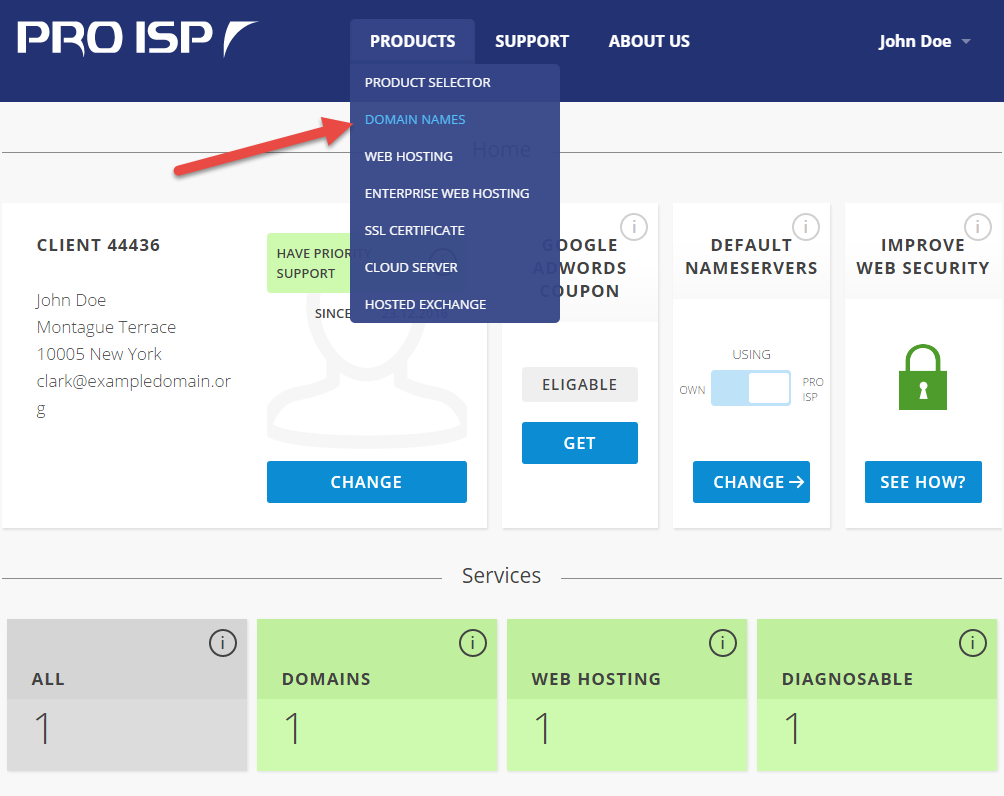
Choose "Domain" under "Products" in the menu.
Step 2
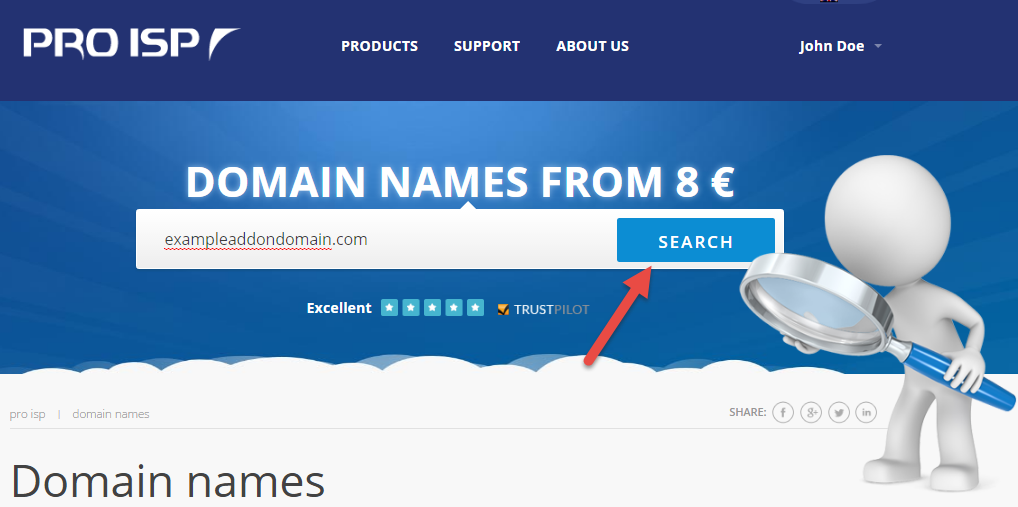
Type desired domain name and click "Search".
Step 3
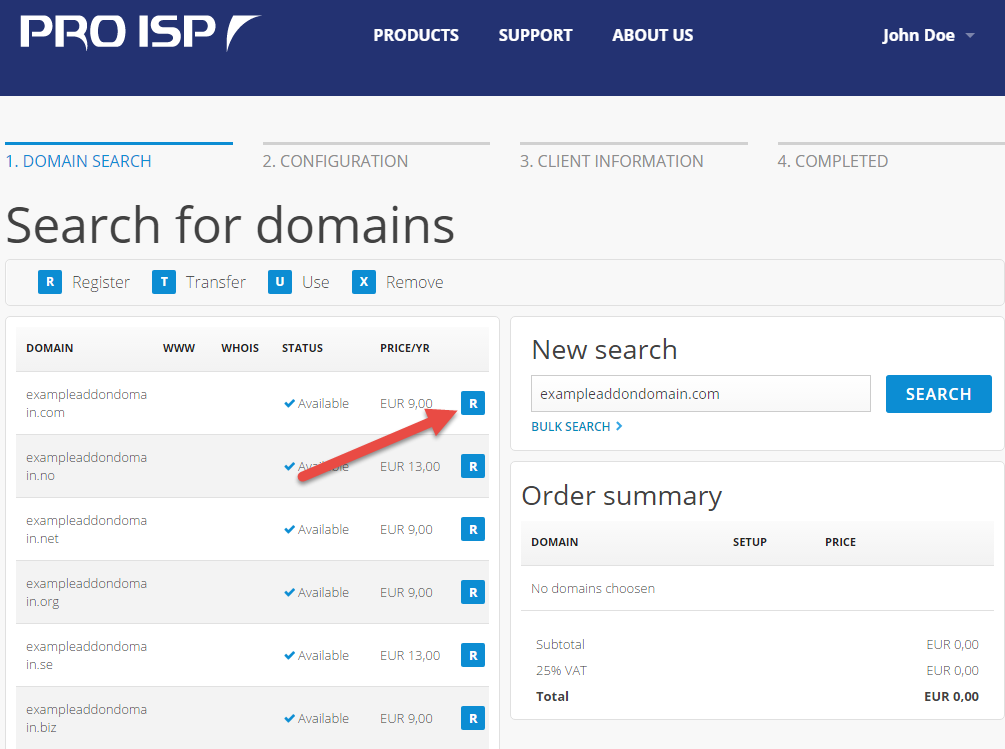
Then choose "R" on the domain you want.
Step 4
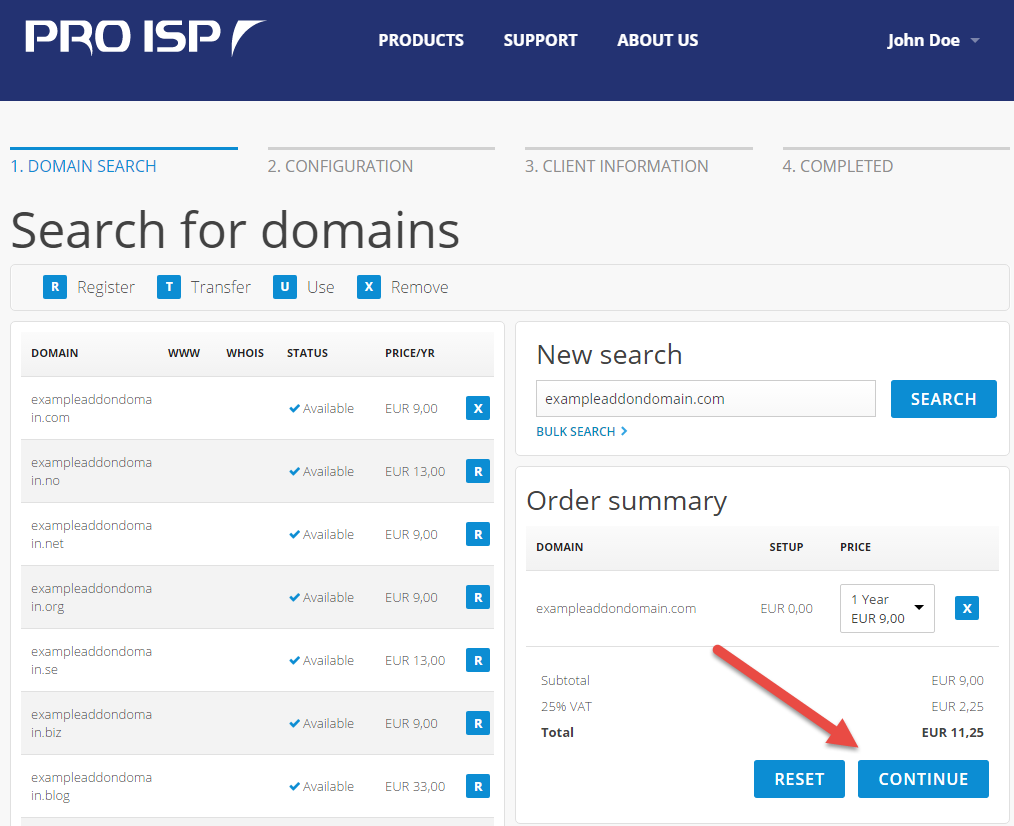
Choose "Continue".
Step 5

Step 6
Choose "Confirm".

Step 7
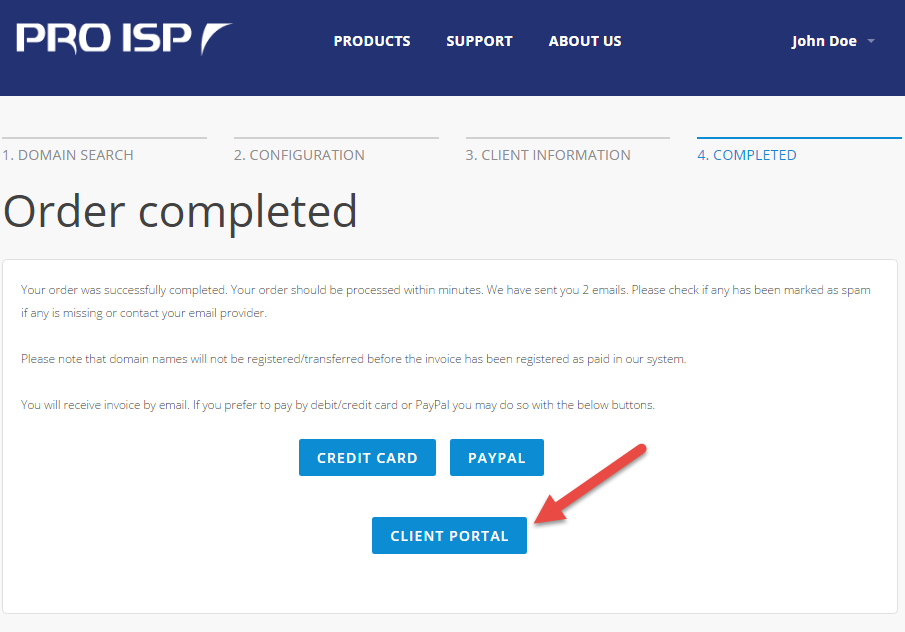
The order has now been completed. The invoice will be sent via email, but you can also pay with credit card or PayPal.
Choose "Customer pages" to go back to your services.
Done
We have now been through how to order an addon domain to your web hosting account.