None found
Your search returned no hits.

95% of all problems already have a solution in our knowledgebase

Added: 22.02.2019 10:23:29 Last updated: 19.04.2023 13:37:26
This guide shows you how to change the password for an email address inside the cPanel (control panel).
The guide requires you to first log into cPanel.
Step 1:
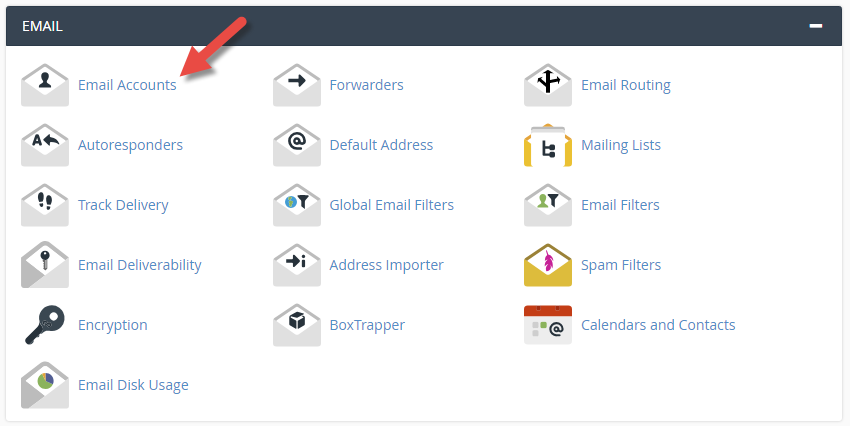
Click the "Email Accounts" icon as shown below.
Step 2:
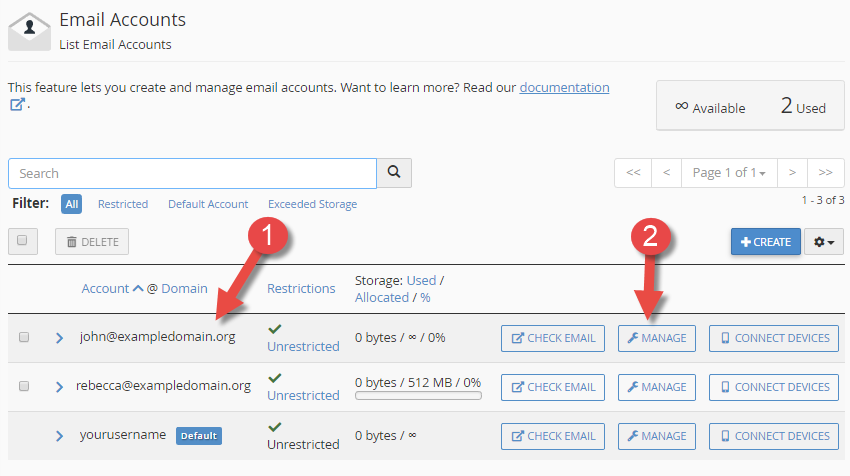
Step 3:
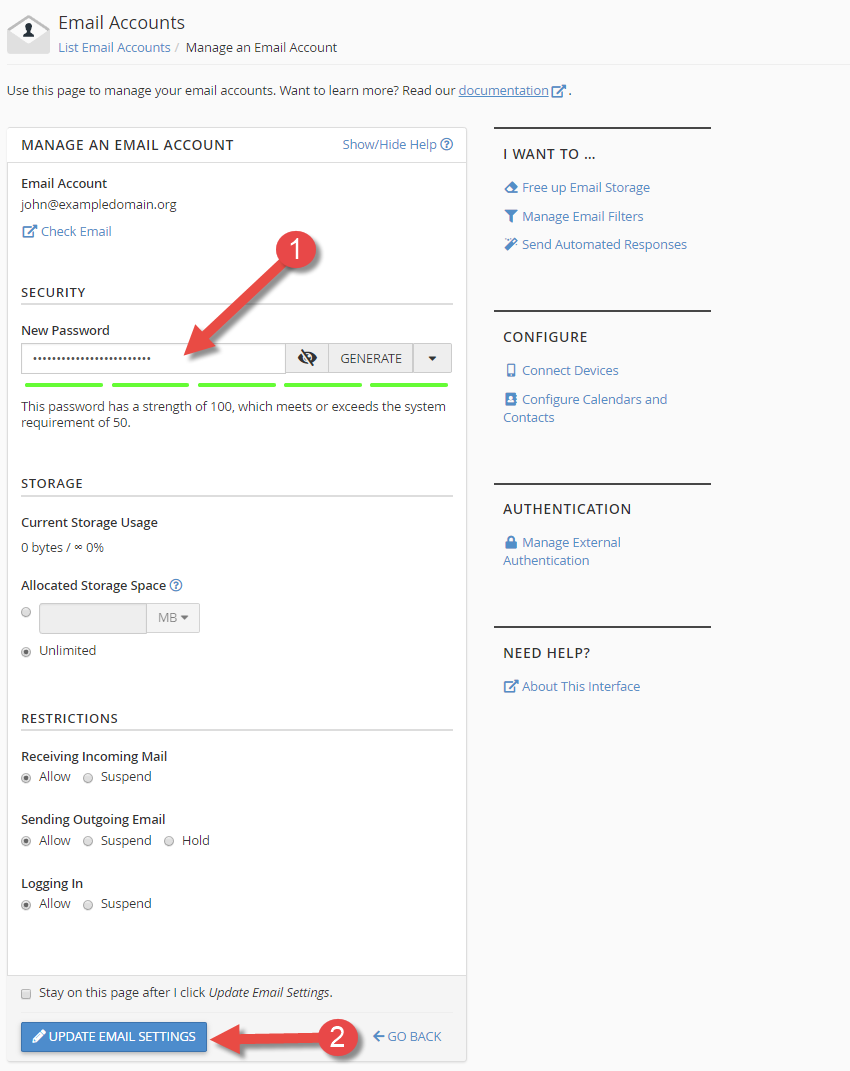
Finished:
We have now been through how to change the password to an e-mail address in cPanel.